Design guide · NYC Social Impact Design Hackathon
Black bag.
Your stickers.
The design system for Black Bag, a sticker-bag starter kit handed to a child on moving day. Logo, color, type, sticker bag, kit contents, web UI direction and usage rules, all in one place.
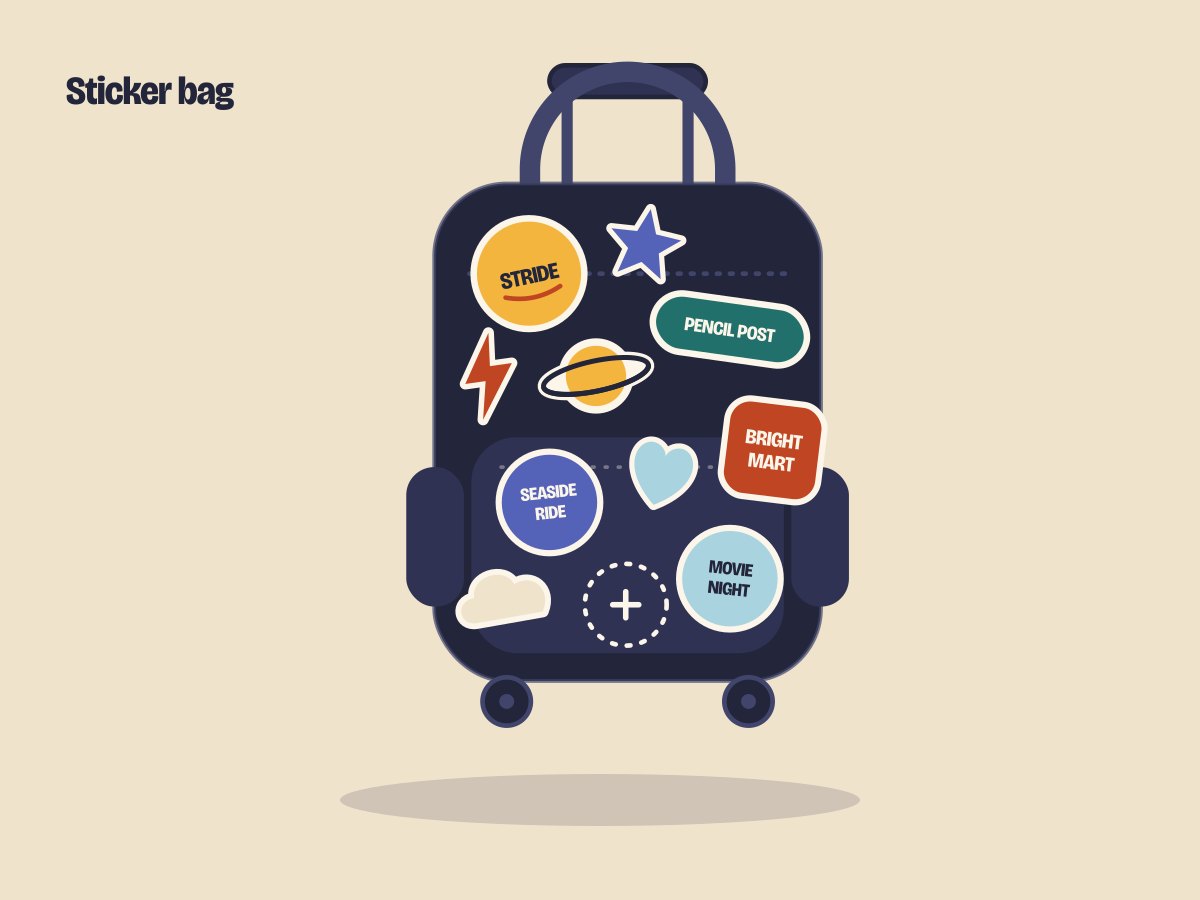
Every sponsor name and mark is fictional. No real brand logos are used, and the gift card amount, real sponsors and trademarks are not decided.
1 · Brand
Name, logo, principles
The name is Black Bag — the black bag is the center, and the child’s stickers make the color. The earlier logo with its no-outside-logo rule has been retired.




Black bag, my stickers
The body is always black. Color comes from the stickers. Sponsor stickers mix in at the same size and with the same white edge as the kid stickers, so they read as decorating.
No stigma on the outside
The outside of the bag carries no shelter or organization name and no wording that announces “a child being helped”. The Black Bag logo appears only on the inside label, the web and the deck.
The child chooses
The child chooses two things — the empty sticker slots and the choice tickets. Having a choice is what turns “something given to me” into “my own thing”.
Calm for grown-ups, easy for kids
Grown-ups use the screen; kids receive the bag. The flow stays the same and only the tone changes.
2 · Color & type
Tokens
The 8 colors and the typefaces come straight from design/brand/tokens.css; design/blackbag/tokens.css adds only the sticker-bag and two-tone web values. The color chips on this page are generated from the token file.
- ink#23253A
- paper#FBF5EA
- oat#EFE3CC
- persimmon#C04522
- sun#F4B53F
- teal#22706B
- dusk#5462B8
- sky#A9D3DF
Display · Bricolage Grotesque 800
Moving day, made lighter.
For headlines and the logo.
Body · Atkinson Hyperlegible Next 400/700
Answer together with the child. Easy-to-read body text.
17–18px on adult screens, 24px or larger (700) on child screens.
| Token | Value | Use |
|---|---|---|
--bag-body | #23253A | Bag body (ink). Not even a sponsor can change it |
--bag-body-2 / -3 | #2F3252 · #41456B | Pocket / handle, zipper, stitching |
--sticker-edge | #FBF5EA | Sticker white edge (7px @640) |
--kid-bg | sun | Child screen background |
--tap-adult / --tap-kid | 48px / 96px | Minimum touch target height |
| radius | 8 · 16 · 28px | sm · md (adult) · lg (child card) |
3 · Sticker bag
Sponsor slots, not logos
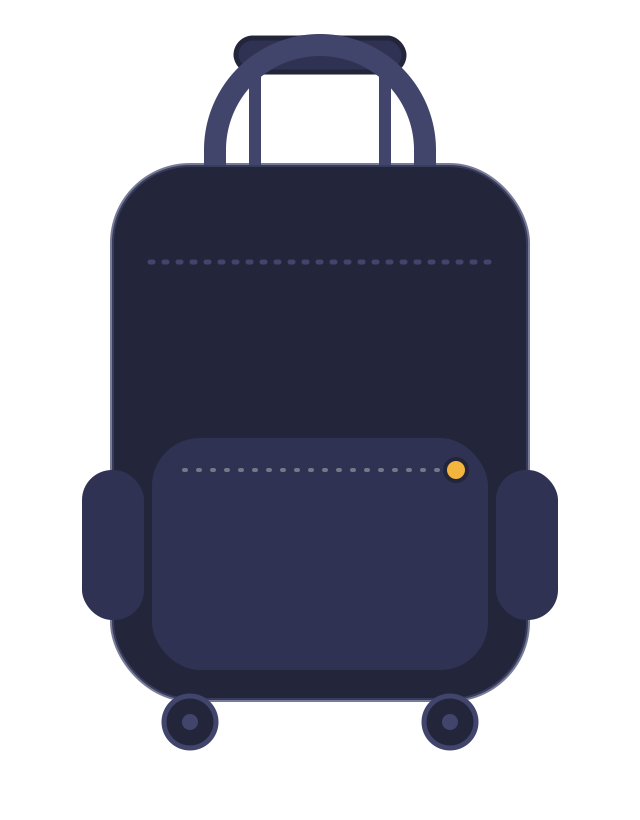
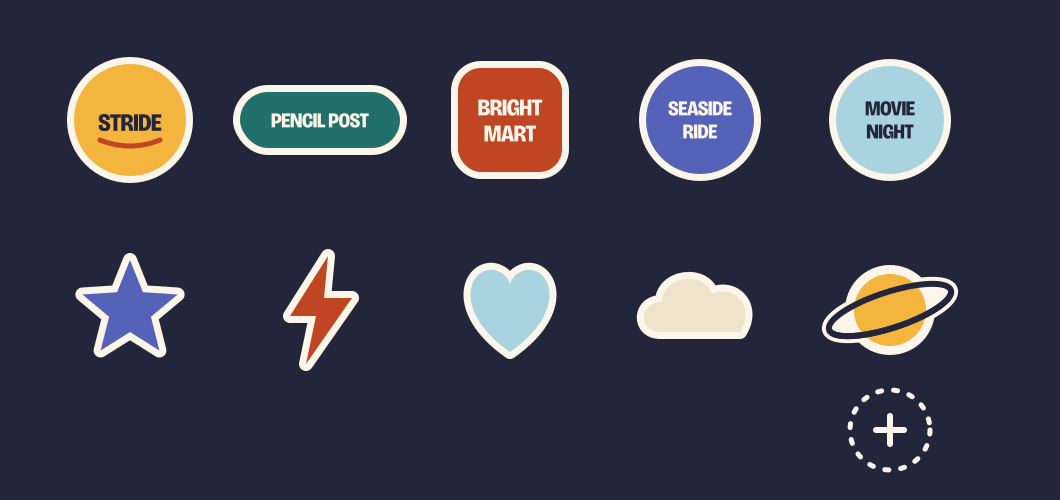
The body is black. The 5 sponsor stickers mix with 6 kid stickers and decorations at the same size and with the same white edge. The dashed empty slots are where the child sticks their own stickers.
4 · Kit
Eight things in one bag
Eight things handed over on moving day. The shape stays the same and only the contents change by option. Organizations fill the option boxes in advance, so at intake they only need to check the box label.
- 01

Bag
A black rolling school bag. The size differs by option.
- 02

School supplies
Pens and notebooks that fit the grade.
- 03

Gift card
The child picks it at the store. Amount to be decided.
- 04

Cheer card
One card written by a grown-up who got this kit as a kid.
- 05

Kid-to-kid letter
The child who receives it puts a drawing back in the next kit.
- 06
Blank postcard
For a friend or caseworker at the previous shelter. Same in every box.
- 07

Before-school checklist
Picture version for younger kids, words version for older kids.
- 08

Choice tickets
The child picks the movies or Coney Island.
Pre-made options — 4 boxes, pick one
Three grade bands plus one interest option. Every bag is black; the sticker pack and what is inside differ. Only 06 Blank postcard is the same in every box.
| Little ExplorerGrade band · Grades 1–2 | Everyday StarterGrade band · Grades 3–5 | Maker & ArtInterest · Grades 3–8 | Move-UpGrade band · Grades 6–8 | |
|---|---|---|---|---|
| Good for | Younger kids new to school. Kids who want to start with drawing, color and stickers. | The most common middle grades. The standard set for an easy start. | Kids who like to draw and make things. Open to any grade. | Older kids who want to pack for themselves. Less decoration, more useful. |
| 01Bag | Small backpack + animal & star sticker pack | Standard backpack + space & lightning sticker pack | Standard backpack + paint & star sticker pack | Large backpack + simple sticker pack |
| 02School supplies | Chunky crayons, thick pencils, sticker book | Pencils, notebook, colored pencils, ruler | Sketchbook, colored pencils, markers, scissors | Binder, calculator, highlighters, planner |
| 03Gift card | Stationery-store gift card (with picture guide) | Stationery-store gift card | Craft-store gift card (choose your own) | Stationery-store gift card |
| 04Cheer card | Cheer card — younger-kid words | Cheer card — middle-grade words | Cheer card — for makers | Cheer card — older-kid words |
| 05Kid-to-kid letter | 3 color-in picture letters | 3 picture letters | 5 picture letters (a few extra) | 3 picture letters |
| 06Blank postcard | Same in every box | Same in every box | Same in every box | Same in every box |
| 07Before-school checklist | Picture checklist | Picture + words checklist | Picture + words checklist | Words-only checklist |
| 08Choice tickets | Movie or Coney Island | Movie or Coney Island | Movie or Coney Island | Movie or Coney Island |
Option data is design/blackbag/options.json as-is, and the kit selection web (#18) reads the same file. Names, grades and palettes on this page are read from it; the English descriptions are written in this guide.
5 · Web UI direction
One flow, two tones
Grown-ups use the screen; kids receive the bag. Within one flow, the adult screen stays calm and the screen the child looks at together becomes easy and pop. The two screens below are real HTML built from the tokens.
Adult screen
Shelter staff and parents — trust, hierarchy, simplicity
Choose a kit for this move
Answer together with the child. Pick the grade range — we suggest from four ready-made kits.
Child screen
The child — easy, pop and direct
- 1IntroAdult
- 2ProofAdult
- 3KitAdult + child
- 4SponsorsAdult
| Adult screen | Child screen | |
|---|---|---|
| Who sees it | Shelter staff and parents (the user) | The child who is moving — viewed together with a grown-up |
| Mood | Calm and trustworthy. Paper-like background, tidy information | Pop and playful. Vivid color, big pictures |
| Background / accent | Paper background · persimmon only on action buttons | Large sun, sky and teal surfaces · a different color per card |
| Headline | Bricolage 800, 32–40px | Bricolage 800, 48–64px, one sentence per screen |
| Body | Atkinson 17–18px, 60 characters per line or fewer | Atkinson 700, 24px or larger. Pictures before words |
| Touch target | Buttons 48px tall or more | Cards and buttons 96px tall or more, 20px gaps |
| Corners / lines | radius 16 · 2px line | radius 28 · 4px line (ink), sticker-like white edge |
| Input | Pick a grade band and situation (minimum) | Pick one picture card — no name, age or gender input |
| Sentences | “Choose a kit for this move.” Explanation and steps | “That one!” Short and direct, one exclamation mark |
| Avoid | Pity or deficit language (“in need of help”) | Small text, long sentences, alert boxes, red error messages |
6 · Usage rules
Do & don’t
Black Bag’s promise is “decorating, not stigma”. These rules apply the same way in the designs, the deck and the web.
Do
- Sponsors take half the stickers or fewer
5 of the 11 stickers on one side of the bag are sponsors. They mix in at the same size and with the same white edge as the kid stickers and decorations.
- Don’t cluster them
Never join sponsor stickers together or line them up in a row. Place them at an angle, overlapping.
- Always leave empty slots
The dashed slots are where the child sticks their own stickers.
- Label them as fictional brands
The sponsors in the design (STRIDE, PENCIL POST, BRIGHT MART, SEASIDE RIDE, MOVIE NIGHT) are all fictional. When real sponsors are chosen, swap only the mark in the same frame.
- Use shape illustrations only
Kids are drawn as faceless shapes.
Don’t
- Don’t impersonate real brands
Never use a real company’s logo, name or trademark in the designs, deck or web. Never make a place without a sponsorship agreement look like a sponsor.
- Don’t use real children’s faces, photos or cases
Never put images, names, ages or genders that could identify a child on screens or materials.
- Don’t put a shelter or organization name on the outside of the bag
No wording or mark that announces “a child being helped” on the outside. The Black Bag logo goes only on the inside label, the web and the deck.
- Don’t use deficit imagery
No scenes that sell pity — rain, tears, piles of boxes — and no pity language (“in need of help”).
- Don’t hand the bag body to a sponsor
Sponsor color goes on stickers only. The bag body, zipper and wheels always stay in the black family.
- Don’t put persimmon text on oat
Contrast is 4.02, below the bar. Text on sun and sky surfaces is ink.